

Fstop features
Everything your club runs on, in one place.
Everything here works on any computer, in an ordinary web browser. No smartphone needed; the phone app is an optional extra.
The full list, grouped the way a club year works. Every club sets its own grades, awards, points and wording, so Fstop fits around how you already do things.




On any computer, or a phone if you like.
Everything works in a web browser on a laptop or desktop: nothing to install, no smartphone needed. The phone app is an optional extra.
The Fstop app is on the App Store and Google Play for members and judges.


- Works on any computerIn the web browser you already use (Chrome, Edge, Safari or Firefox). Members and the committee can do everything there.
- No smartphone neededEntering, results, judging, running the night and the committee's work all happen on a computer.
- Optional phone appFor members who want it: Android and iPhone, the same login, with reminders. Nobody has to use it.
- Phone reminders, if wantedWith the optional app: the day before entries close, before club nights and events, and "Were you there?" afterwards.
- My imagesA personal library of every picture, with its results history across clubs.
- More than one clubOne login; switch between your clubs.
- ProfilePhoto, honours letters and contact details. Judges can list themselves in the judges directory for clubs.
- Auto, dark or lightLarge, clear text, and a look that follows the computer or phone.
- Ask the clubQuestions and messages go to the club's helpdesk.
Competitions and entries, sorted for you.
Monthly competitions, set subjects, prints and digital, with every entry named, sized and filed.
- Monthly competitionsSet subject and open sections, prints and digital, with entry dates and a club night for each.
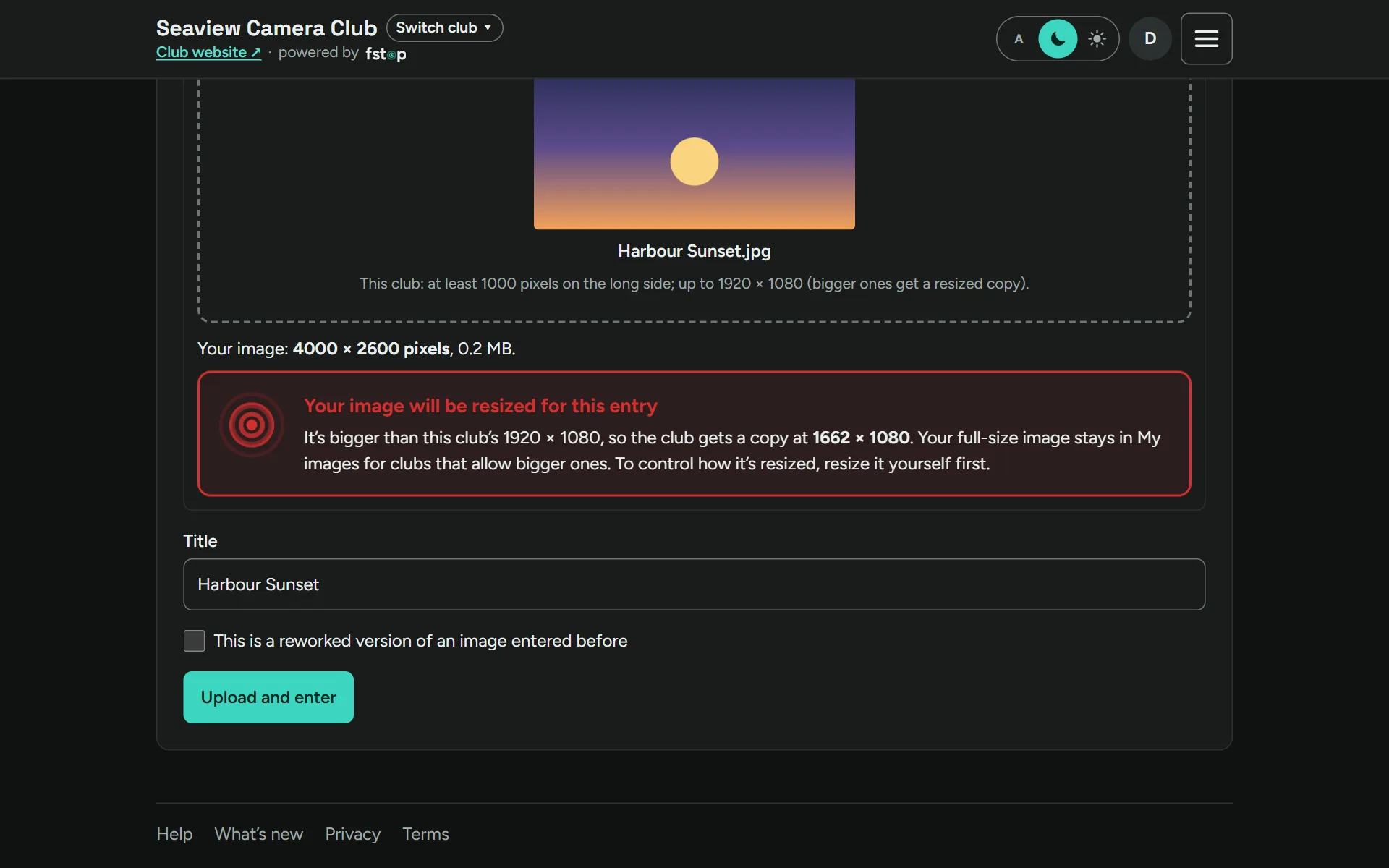
- Enter onlineFrom a computer or phone: upload a new picture or pick one from My images; one title, one press.
- Drag and drop uploadsSee the picture's size straight away, with a clear warning before it's made smaller.
- Your club's sizesEach club sets the largest and smallest image it takes. Fstop never enlarges a picture.
- One picture, many clubsMy images keeps the full-size original; each club gets its own sized copy.
- Entry rulesLimits in total, per subject and per medium, plus re-entry rules your club chooses.
- Swap or withdrawMembers change their mind up to the deadline; a swapped print keeps its number.
- Print labelsLabels for the back of prints with no name on them, and a return label with the member's address.
- Late print entriesThe competition secretary can add a print handed in on the night.
- Series competitionsYear-long series open to every grade, with rounds and a season leaderboard.
Judging that’s fair, wherever the judge is.
Anonymous and easy for the judge, at home or in the hall, online or off.
- Invite a judgeJudges use one Fstop login across every club they judge for.
- Judging guidelinesWritten once by the club, emailed when a judge accepts and shown on their judging screen.
- No namesJudges see entries by section and grade, never the makers.
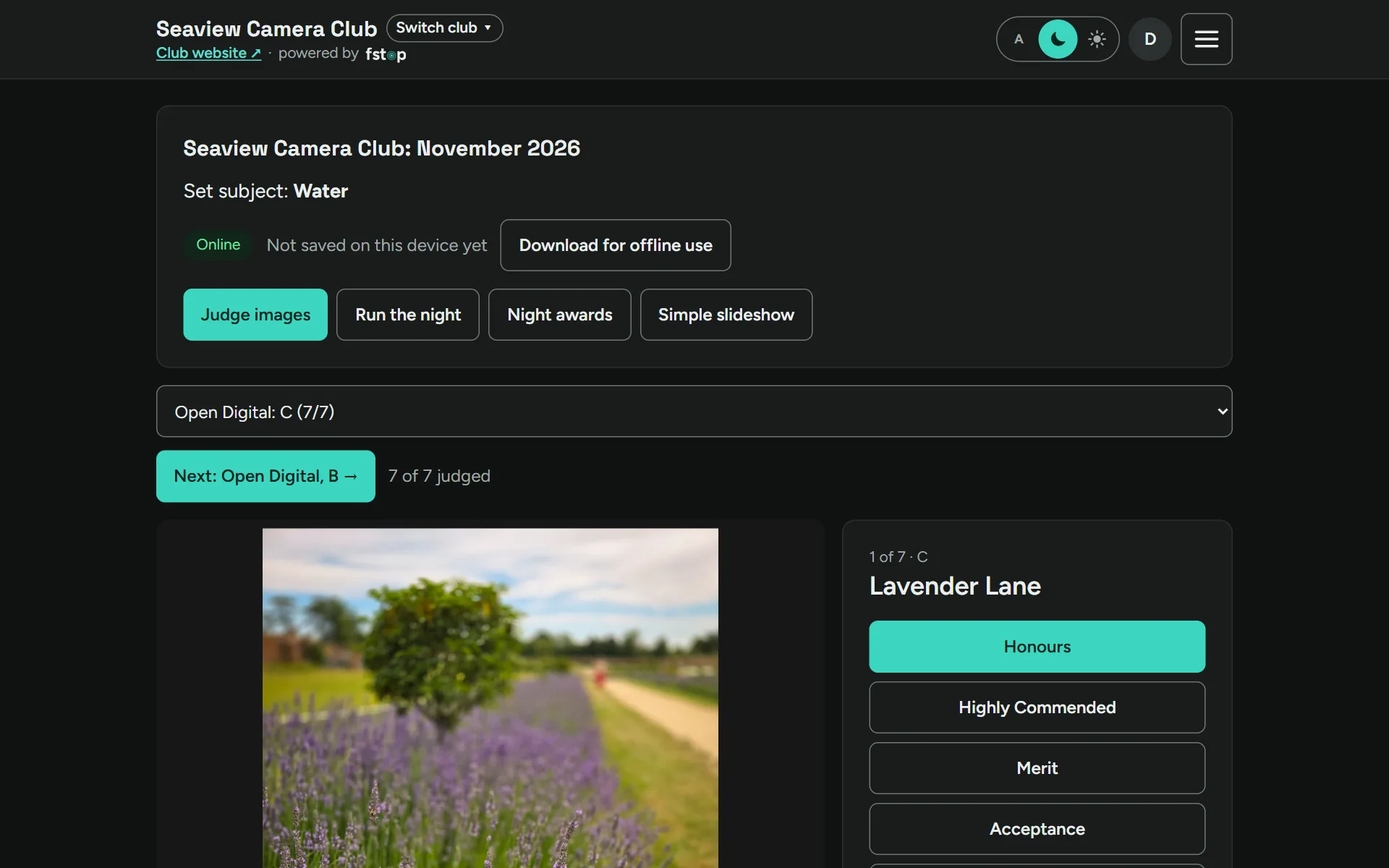
- Awards and notesChoose the award and add notes for each image; members see the notes with their results.
- Works offlineDownload the competition once, then judge with no internet. Results sync when you're back online.
- Download for the judgeA zip of the images, with no names, for judges who prefer their own software.
- Comp awardsBest of grade, best print, champion and more, chosen from a shortlist.
- Newsletter storiesWinners of chosen awards are asked for a few words about their image.
Competition night, from one laptop.
One laptop and a projector. No USB sticks, no slideshow software, no internet needed.
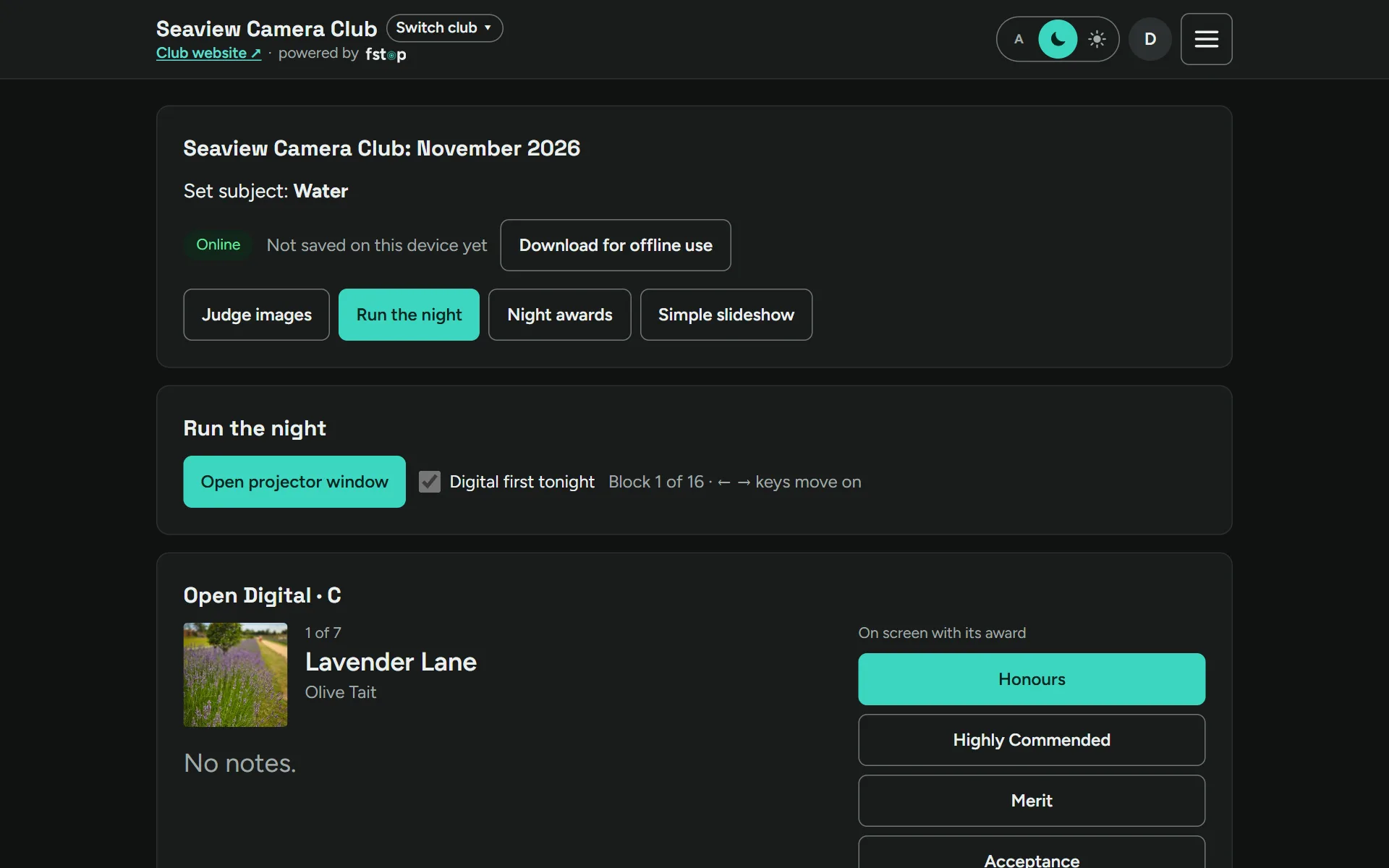
- Run the nightTitle slides, a quick run-through, each image with its award, then the maker revealed.
- Projector and notesThe projector shows just the image; the laptop shows the notes and what's next.
- Your running orderPrints or digital first, block by block through the grades, the way your club runs it.
- Honours roll and ChampionBest of grade, the Honours roll and the night's Champion, with names held back if you choose.
- Only the awards you giveSwitch off Best of section or the Champion image of the night if your club doesn't choose them, and judging skips those steps.
- The judge's phoneOn the night the judge has their own awards and notes in large text, and keeps up with the projector themselves, with or without internet.
- Simple slideshowA plain slideshow for nights that don't need the full show.
- Release with one pressMembers see their awards and the judge's notes straight away.
Results, grades and trophies that add themselves up.
The judge's awards become everything else, with no copying into spreadsheets.
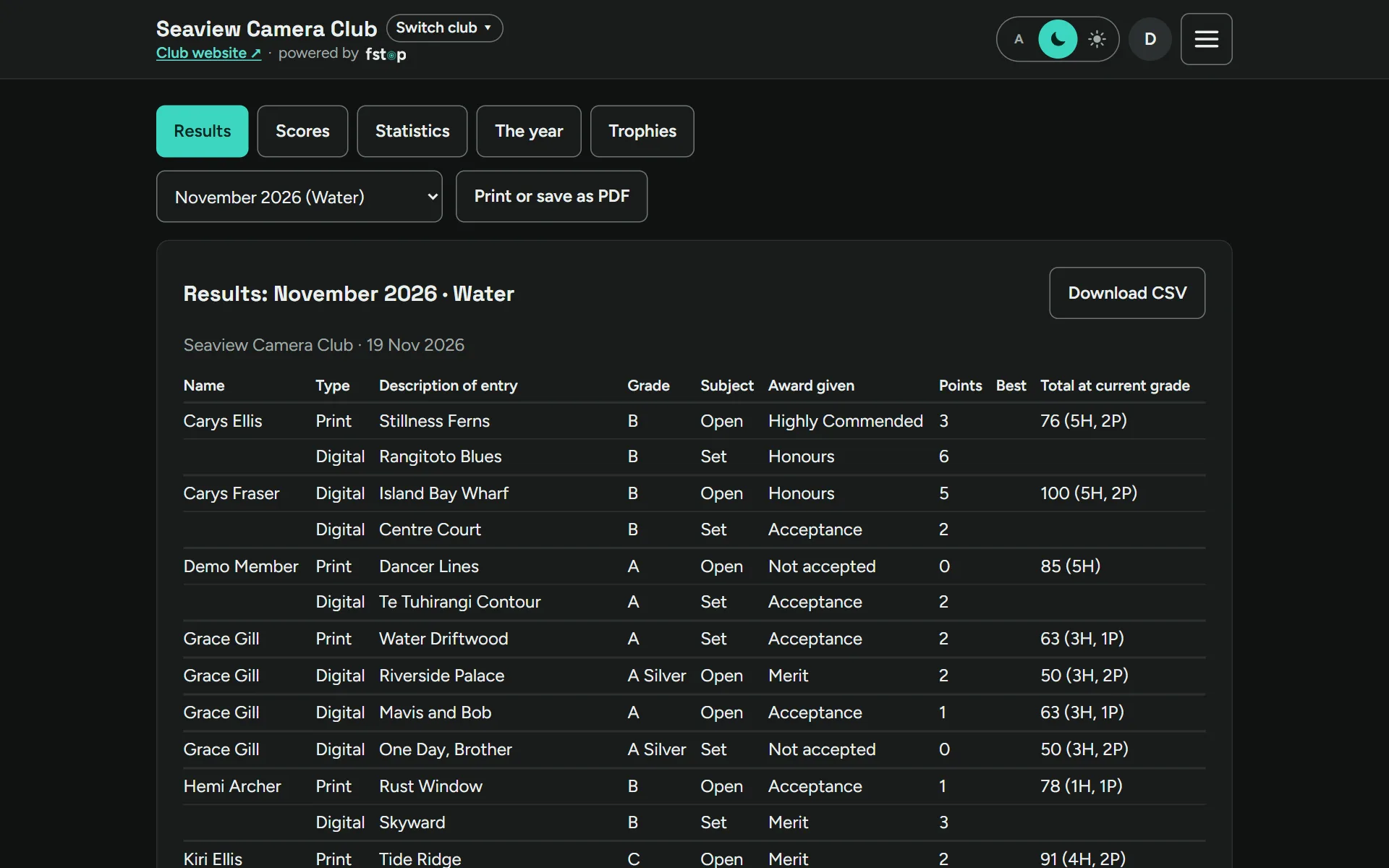
- Your scoringYour own award levels, names, codes and points.
- GradesOne grade per member, with your club's names for them (e.g. C, B, A or Novice to Advanced).
- Grade progressPoints towards the next grade, worked out from results, with members ready to move up suggested.
- Assessment historyEvery member's results, awards and judge's notes over the years.
- Points trophiesStandings worked out through the year, with the entries that count.
- Members' votesTrophies decided by members' votes, online.
- Honours boardPast and present winners, on the club website.
- Honours lettersMembers' photographic honours (e.g. LPSNZ) shown after their names.
- Honours applicationsMembers put together a PSNZ honours set (LPSNZ, APSNZ, FPSNZ) from My images: pick the images, drag them into viewing order and print labels for prints. How it works
- Layout image and hanging planFstop makes the set's layout image (3840 × 2160) or the A4 hanging plan for prints, numbered in viewing order: drag to rearrange, then download the JPG.
Members and subs, mostly done for you.
The membership secretary's and treasurer's year: joining, renewals, reminders and payments.
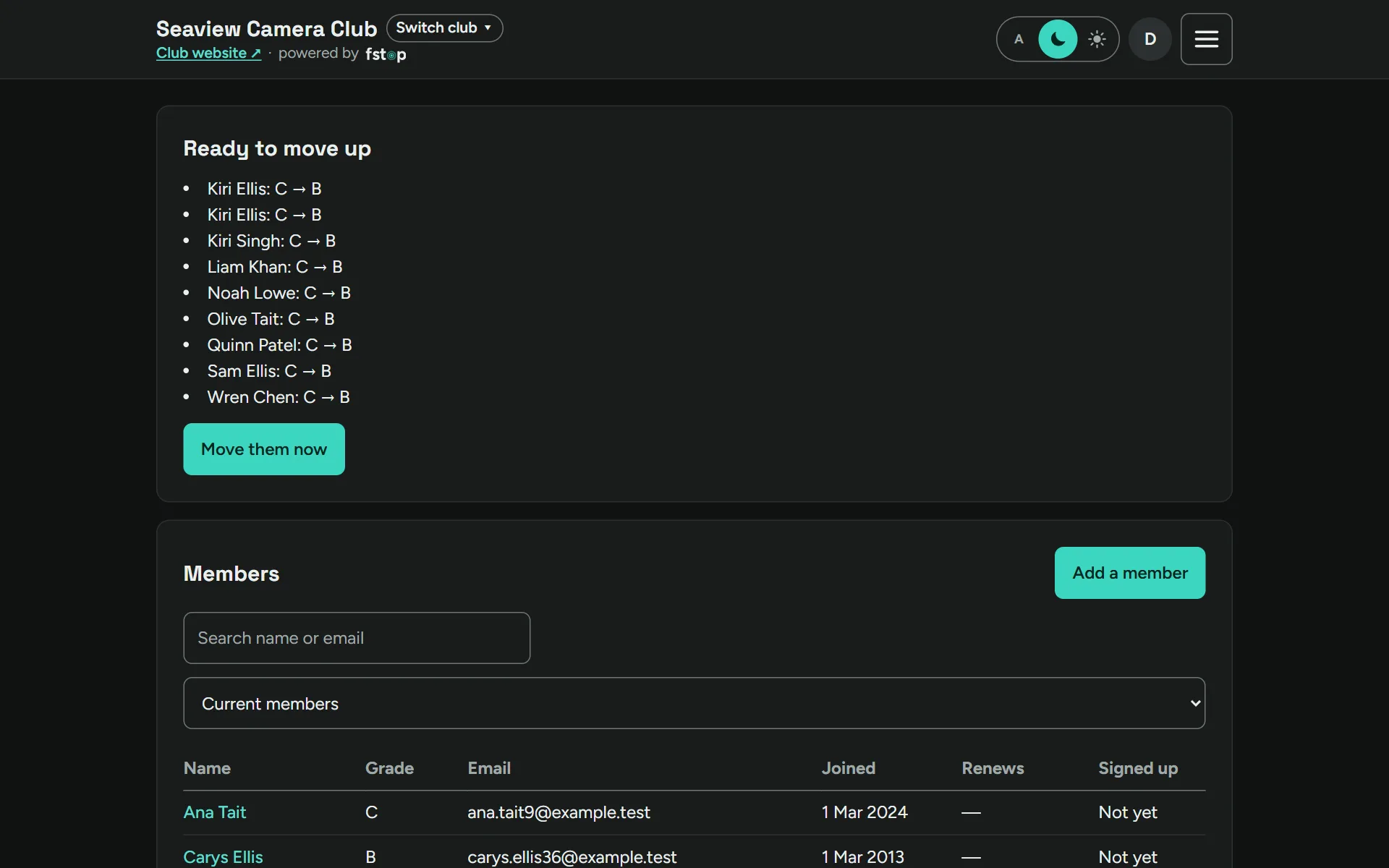
- Join onlinePeople ask to join from the website; the committee approves them and sets their grade.
- Membership types and feesOrdinary, family, junior, life: your types and yearly fees.
- RenewalsReminder emails before subs are due, and lapsed members marked automatically.
- Online paymentsCard payments through Stripe straight into the club's own account, or bank transfer with a reference.
- Who's paidWhen each member joined, last renewed and is next due.
- Membership cardEach member has a card with a QR code, on screen on a computer or phone.
- Door check-inScan cards at the door or tick people off, and sign in visitors.
- Committee rolesGive each committee member the access their job needs.
- XeroConnect the club's Xero and send each year's subs straight in as invoices, with payments recorded as members pay. Or use the files.
Club life, without Facebook.
Club nights, outings, workshops and a private place for members to share.
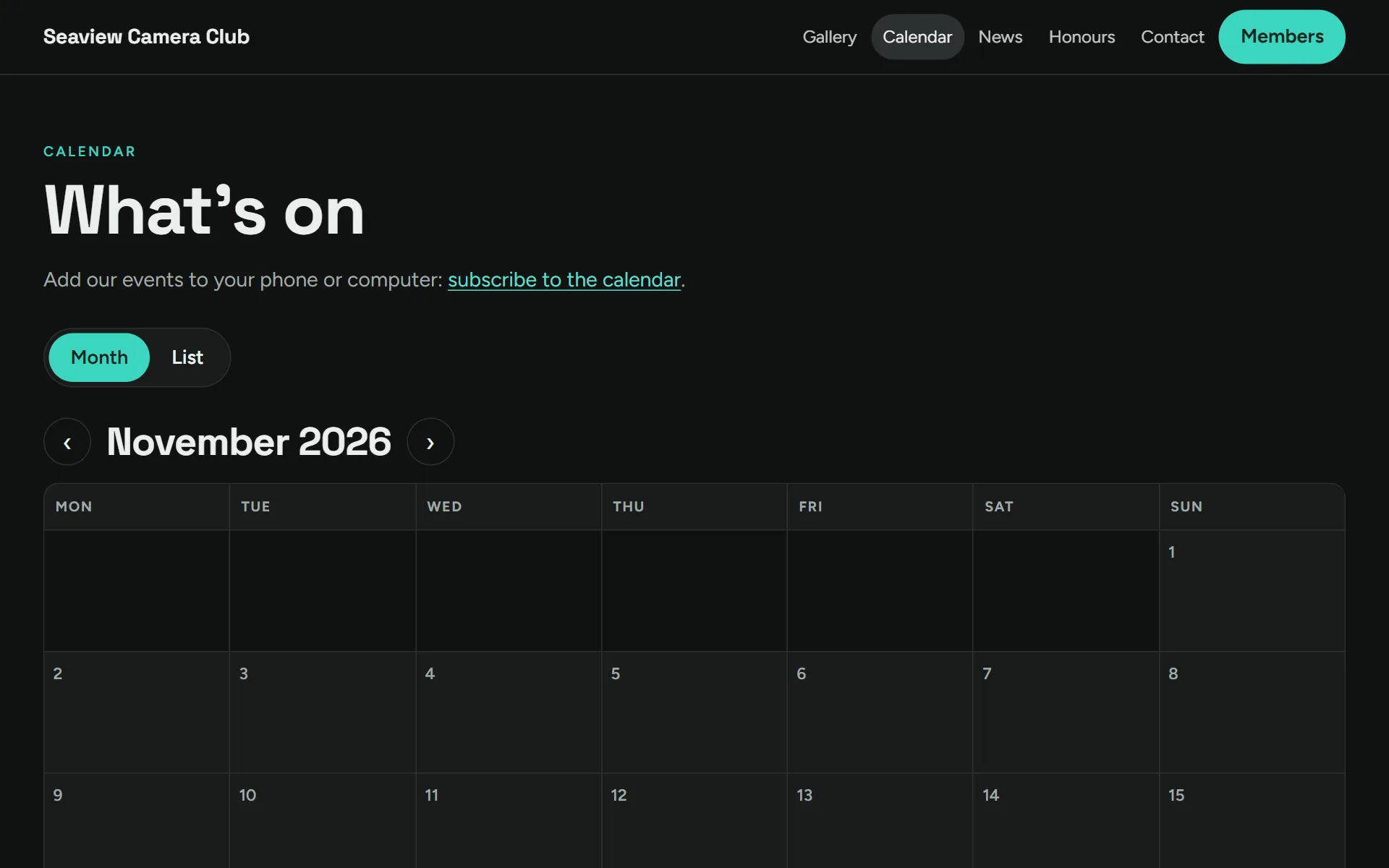
- CalendarRegular club nights, competitions, outings and workshops in one calendar.
- RegistrationsLimited places, a waitlist that moves up by itself, a closing date and an optional fee.
- Weather for outingsThe forecast for the hours you're out, with sunrise, sunset and golden hour.
- Were you there?Attendance after each event, and up to 10 photos each shared with the club.
- Members' feedA private place for posts, photos, comments and likes, just for your club.
- Weekly digestA Monday-morning email of what's new and what's coming up.
- Club chatRooms for the whole club (General, plus ones the committee adds), with photos. Private to members.
- News and newslettersWrite news, and write the newsletter in Fstop with results, image stories and events filled in; emailed and kept on the website. Club documents in one place.
A club website that looks after itself.
In your club's colours and fonts, with the gallery filling itself as results come out.
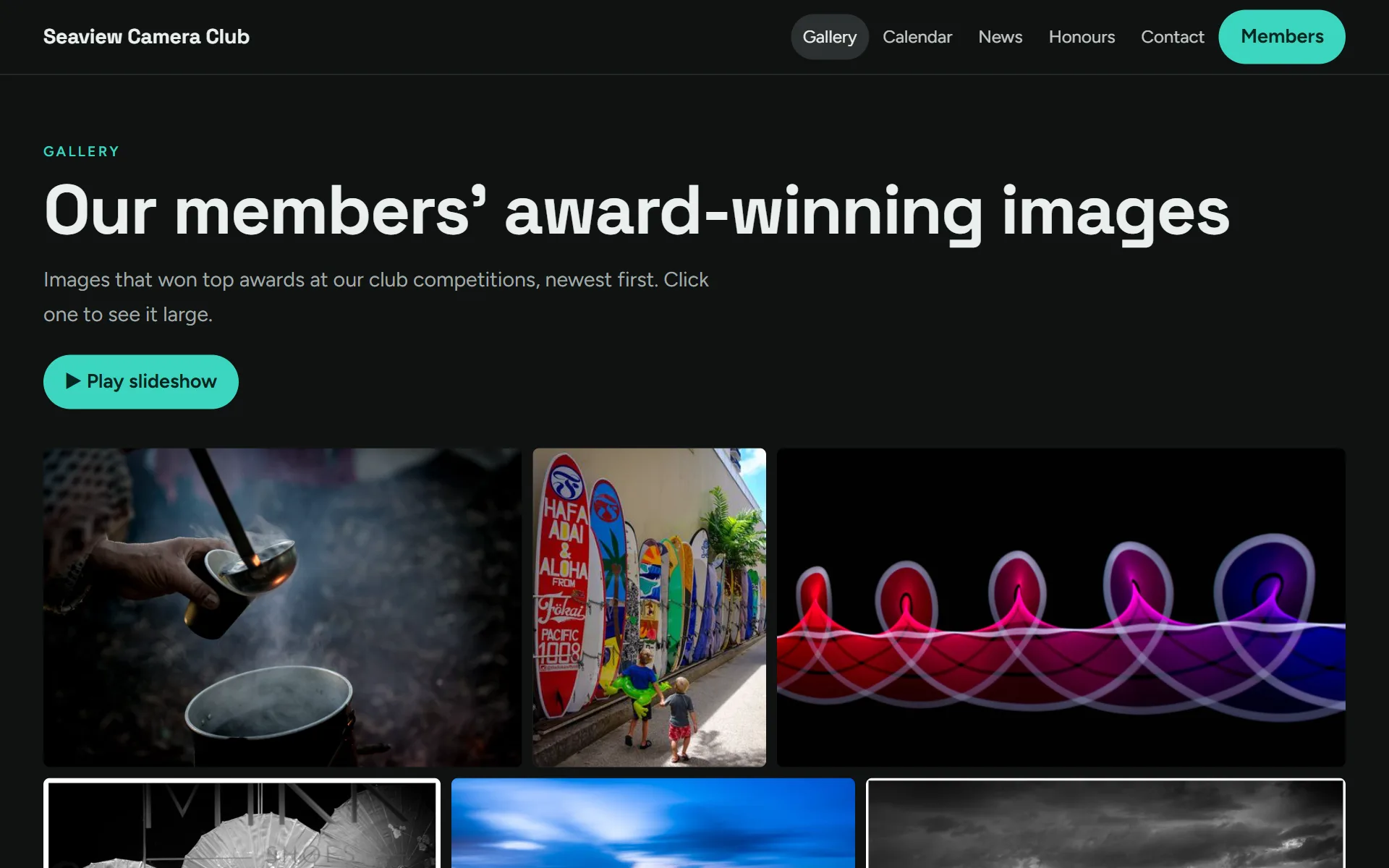
- Award-winner galleryPictures from the award levels you choose, shown full screen, with a slideshow.
- Hero pictureThe latest top award across the home page, with the maker's name.
- CalendarMonth and list views of club nights, outings and workshops.
- News, pages and honoursYour news, your own pages and the honours board.
- Join and contactA join page and a contact form that reaches the right person.
- Your lookYour logo, colours, fonts, cover picture and browser-tab icon.
- Your own domainUse your own address, like www.yourclub.org.nz, plus yourclub.fstop.co.nz.
- Members' choiceMembers can keep their pictures off the public gallery.
Committee tools anyone can pick up.
Reports, email and setup, all in one place.
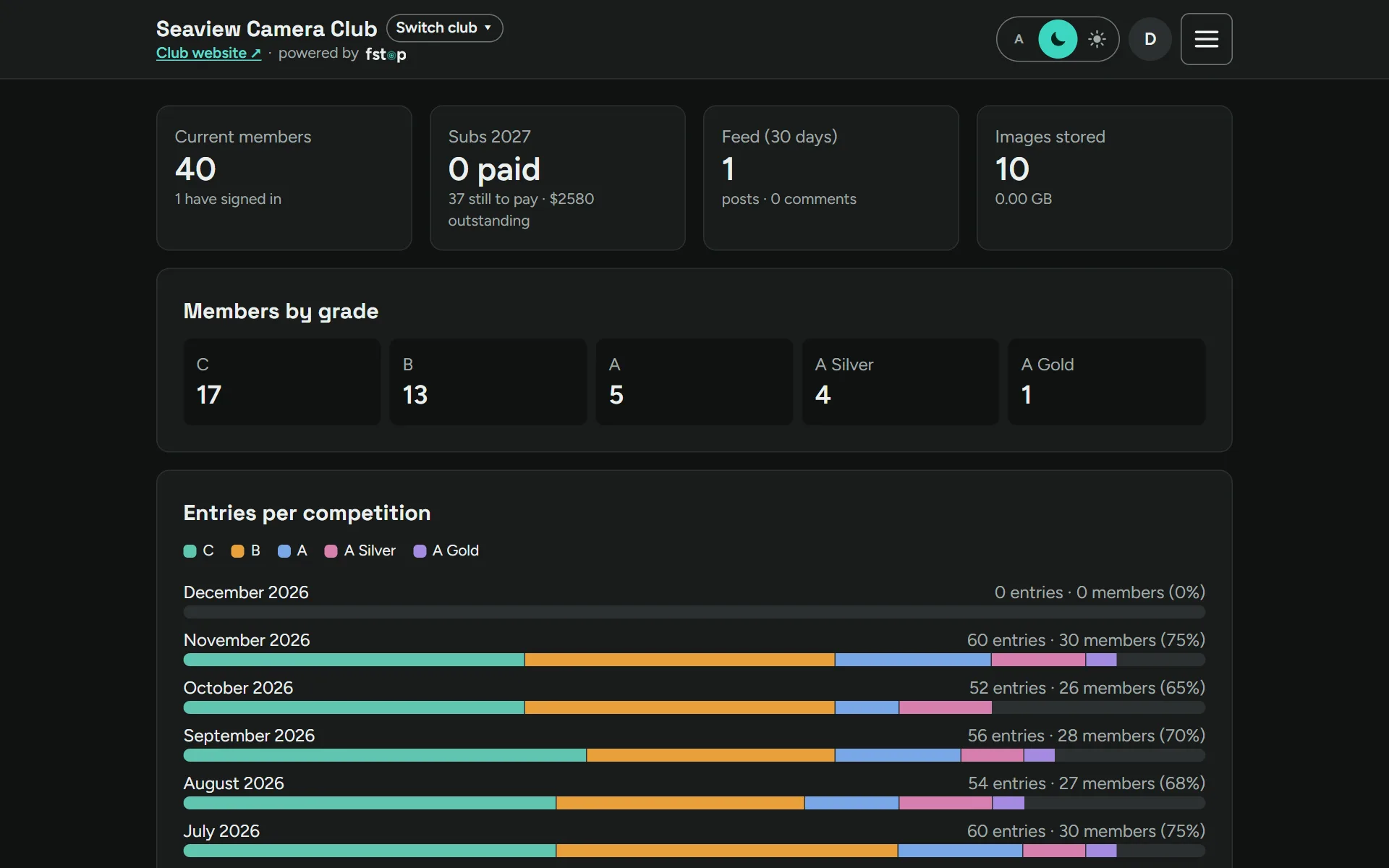
- DashboardMembers, subs, entries and awards at a glance.
- ReportsResults sheets, scores, statistics, the year's statistics and trophy standings, as PDF or spreadsheet.
- Emailed on releaseThe committee gets a summary as soon as results are out.
- Email membersWrite to everyone, some grades, the committee, lapsed members or those who haven't entered.
- Club helpdeskMembers' questions in one place, online or by email, with screenshots.
- Club setupGrades, awards, rules, membership types, comp awards and wording, all in your club's terms.
- Bring your historyImport past results and members from a spreadsheet, so grades and trophies carry on.
- Guided tours and helpA short tour the first time you open each page, and help pages for every task.
National salons and interclub.
Host a national salon or an interclub competition, with its own website and online entry, and choose your club's sets for PSNZ's interclubs. More about salons →
- Its own websiteA promo site with a countdown, rules, fees, judges, sponsors and results: on your club's site, at its own fstop.co.nz address, or your own domain.
- Anyone can enterPhotographers anywhere enter with a free login, from My images.
- Section bundlesPrices for one section, two sections and more, paid by card into the host club's account.
- Panel judgingEach judge scores on their own screen with no names; scores for judges on paper can be typed in.
- Cut-offs and medalsSee the spread of totals, set each section's acceptance cut-off, and give the medals.
- Report cardsEvery entrant is emailed their scores, and results join their history.
- Salon recordA running count of each photographer's acceptances and awards, for honours applications.
- Live panel judgingJudges score the image on the projector from their own devices; the total shows, and the next image comes up. A second-look round and an awards round.
- Catalogue and certificatesA printable results catalogue on the salon’s website, and certificates for entrants to print.
- Patronage numbersPSNZ, FIAP and PSA patronage shown on the website, catalogue and certificates.
- Interclub teamsCommittees pick their team from members' awarded images; clubs are ranked by team total.
- Interclub selectionChoose the club's set for PSNZ's Wiltshire, Bledisloe, George Chance or Bowron, or any other interclub: filter the club's images by award, score and grade, shortlist, view full size, drop the weaker ones and put the set in order. How it works
- Interclub selectorsA separate Interclub selection permission, so a member who isn't on the committee can choose the sets without seeing committee screens.
- Ready to sendDownload the set full size and sized for PSNZ (sRGB JPEG within 3840 × 2160), numbered, with the list of titles and photographers; PSNZ's rules are checked as you go.
- Tell the makersEmail just the members whose images are in the set, each with their own images and a small picture.
Getting started, and peace of mind.
- A trial built for your clubA 30-day copy of your club made from your current website, with made-up members, to try everything.
- Simple pricingA flat yearly fee by club size, everything included, from $159 a year plus GST at launch. See pricing.
- Private by designMembers' images stay private until results are out, with care for New Zealand's Privacy Act.
- Made in New ZealandBuilt in Auckland by a club photographer and PSNZ judge, for New Zealand clubs first.
Want to see it with your club's name on it?
Tell us about your club and we'll set up a trial you can try with your committee.
The Fstop app is on the App Store and Google Play for members and judges.